
Seven starting points. More to come.
The page asks.
You get the tools.
Whatever the web asks you to do, your browser should give you the right controls to do it. Try these examples. Change something and see what follows.
The instructions become the interface.
Turn file limits into preparation tools, count words, match dates, and fill templates only with details you supply. PDF compression and conversion belong in that same workspace; this preview demonstrates the checks with local and sample files.
5 small things to resolve.
Named template Add your name
Application for [your name] · 2026-11-01
This preview uses only the name and date you enter.Sizes and word counts are exact. Local files are checked for a PDF header, not full document validity. Sample controls don’t compress or upload files.
Check the setup before you buy.
Connect a laptop, dock, cable, and screen. Follow each connection to its specifications and replace only the piece that fails. If the exact model is unclear, a photo of its label can be the next useful question.
One cable. A charged laptop. A bigger view.
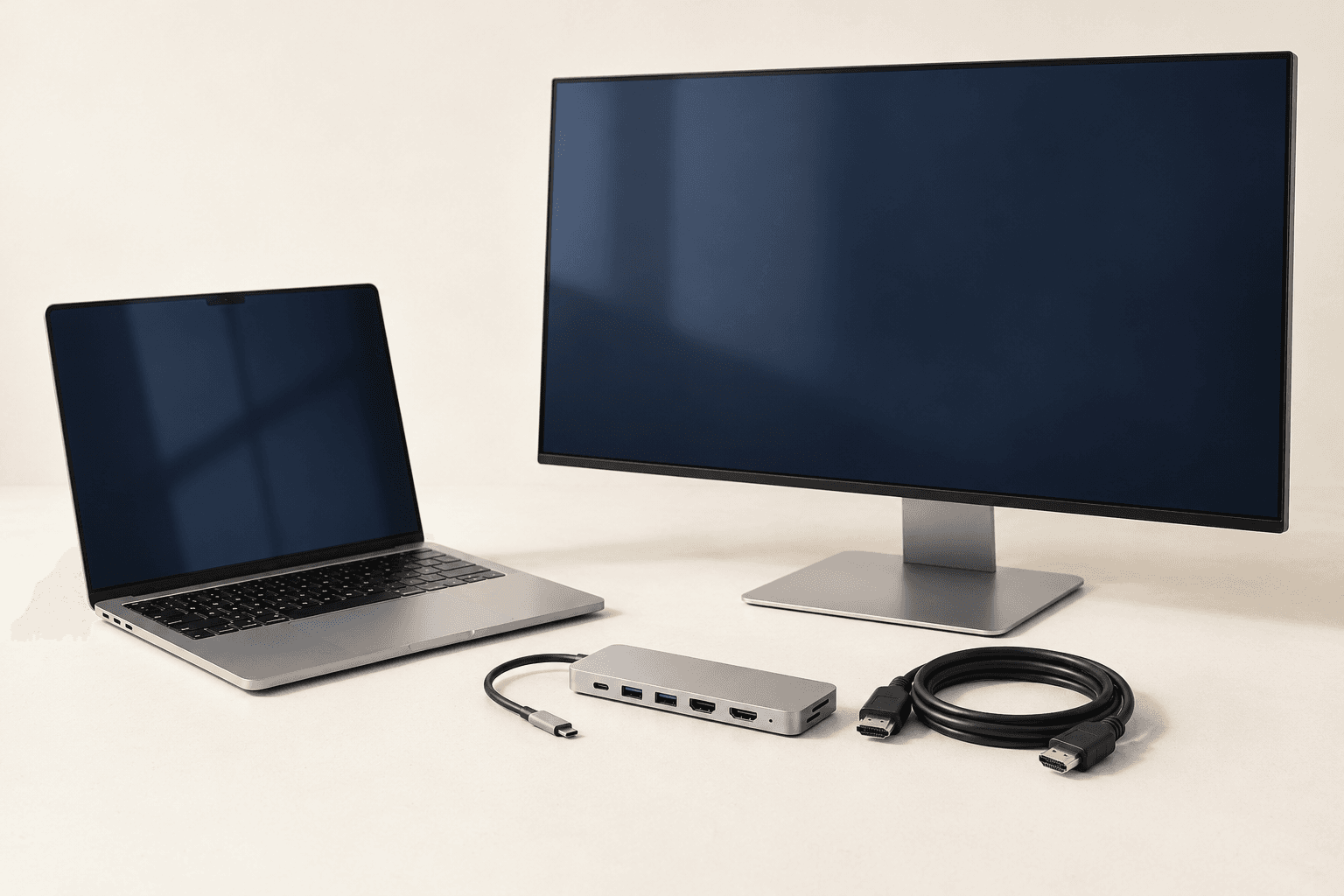
One desk. Four things that need to work together.
Fictional equipment. The checks below use the sample specifications.Dock → cable
The sample cable is rated for 4K at 30 Hz, but your selected screen mode is 4K at 60 Hz. A matching connector is not enough.
2 connections need a closer look. The rest of your setup stays in place.
Find the smallest change that opens a match.
Keep your non-negotiables locked. Adjust the rest and see which options open up among the sources checked. The same approach works for an apartment, a venue, a course, or a replacement part.
Almost. What can move?
Among five illustrative listings. Your budget and commute remain locked.
Your requirements are clear.
The opening is in the timing.
Try moving your date by 7 days. That is the smallest date change that opens a match with these settings.
Fifteen tabs. One question that matters.
Confirm your priorities, then investigate the fact that could change your choice. It might need a source comparison, a calculation, a test, or a question for the provider. Keep the evidence when the decision becomes clear.
Choose a notebook for fieldwork.
Notebook A
€8 / month
Simple editor · lighter setup
Notebook B
€12 / month
Offline editing included
You don’t need fifteen more tabs.
You need the answer to one practical question. The rest can wait.
Keep the evidence with the claim.
Build an editable timeline from orders, messages, and photos. Carry the evidence into a support draft or the fields an expense system needs. Conflicting dates stay visible; original files stay intact.
Item ordered: Studio desk lamp, coral. Quantity: 1. Order date: 2 November 2026.
Say it in your own words.
Date agrees with the sample tracking record.
The right controls for each thing you own.
Keep the exact model, receipt, manual, accessories, and service history together. Check a new accessory against the thing you already own. A camera gets camera controls; a printer gets printer controls.
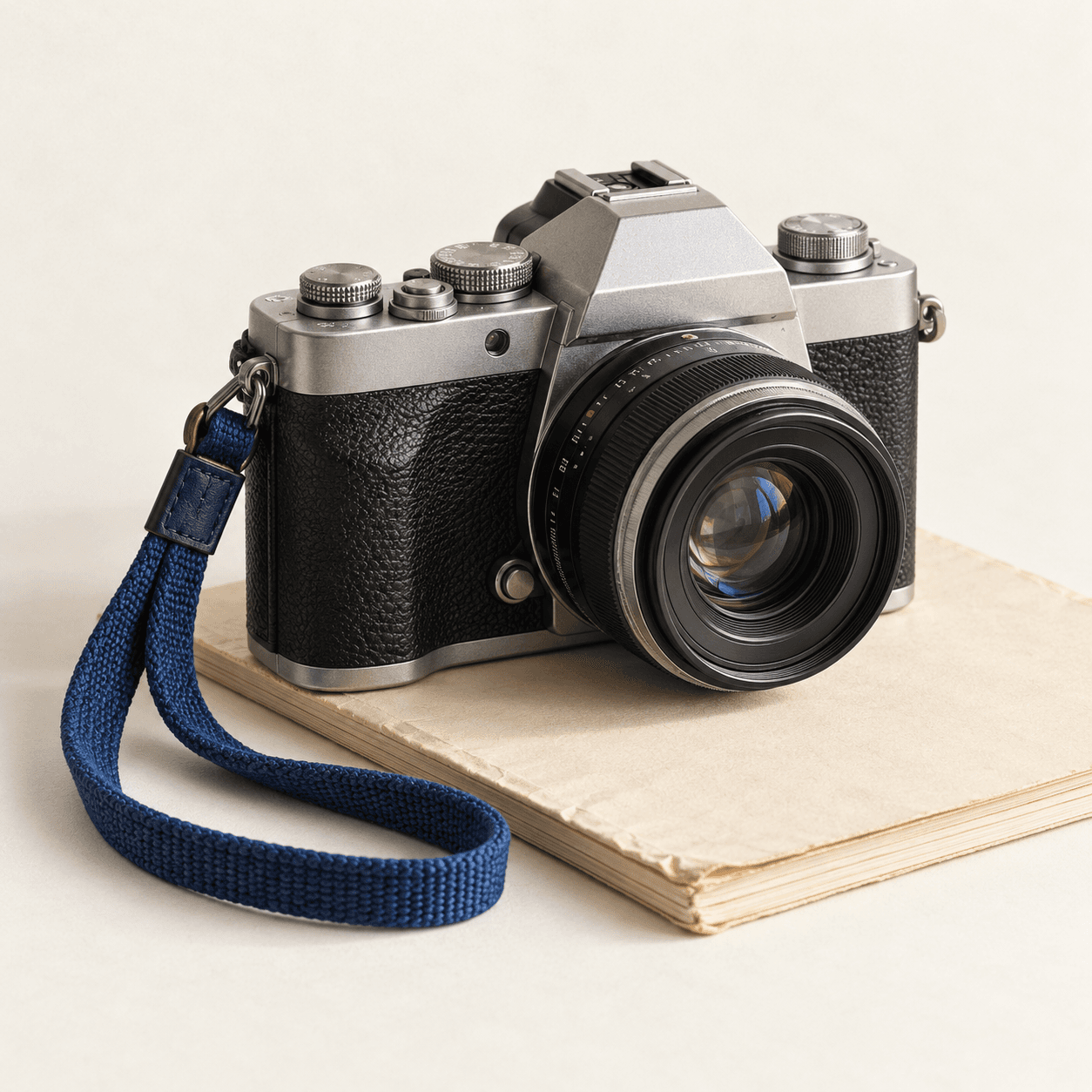
Your everyday camera
Purchased 14 June 2026
A lens that belongs here.
This sample camera uses an F mount. The 35 mm F lens matches the mount and sensor format; the 50 mm R lens needs an adapter and a separate check.
The same task, at your pace.
Choose one decision, a working overview, or the full picture. Progress stays with the task at every level. Voice-led interaction is another view; try browser read-aloud for the next step here.
Make these two dates agree.
The form says 1 November. The document says 2 November. Your task is simply to choose the right one.
Start in a tab.
Give an agent the next step.
Veb could turn the page into a useful workspace. A Katchy agent could take the selected context further—research a choice, prepare a coding task, or keep a follow-up with the conversation.
Find a room for the workshop.
Choose the pages and set the brief. The sample pages below are fictional.
A research agent follows the sources.
- Read only the venue pages you selected.
- Compare capacity, day hire, and access against your brief.
- Return a shortlist and the facts still worth checking.
Look over the information and the work you want the agent to do.
Give the coding agent a useful starting point.
The registration form is wider than the viewport. The Continue button is clipped on the right.
- Open registration at 390 px wide.
- Fill the name and email fields with test data.
- Try to reach the Continue button without horizontal scrolling.
A coding agent gets the context, then a plan.
- Receive the selected page, viewport, issue, and reproduction steps.
- Turn them into a focused investigation and suggested patch plan.
- Bring back the plan and checks for you to review before repository work.
Look over the information and the work you want the agent to do.
A return shouldn’t become another thing to remember.
Counted from the sample message date, 5 November 2026.
A writing agent keeps the next step with the conversation.
- Carry the selected order details and your message into one task.
- Prepare a support draft with its evidence references attached.
- Propose a follow-up reminder in your ongoing Katchy conversation.
Look over the information and the work you want the agent to do.
Interactive examples with sample data. No Katchy account is connected and no agent request is sent.
The Veb connection is a proposal. We’re also considering how it could fit Katchy subscriptions; access, pricing, and timing aren’t decided. Read the launch note →
Different work needs different controls.
A form needs a word counter. A purchase needs compatibility checks. A complaint needs evidence that stays attached to the claim. The point is to give you something useful to work with, right where the task is.
We’re exploring reasoning for the difficult calls, fast extraction for the routine ones, generated visuals when they help, and voice when you choose it. File limits, dates, counters and compatibility rules still need exact checks.
These examples use local sample data. The desktop browser is an early hackathon prototype. Read about free testing and what comes next →